Home/Erasure
 Step One — First Test
Sanitise, test and prepare supported computers in one connected workflow.
Boot supported x86-64 systems from USB or PXE, run diagnostics, sanitise compatible SATA or NVMe storage, capture specifications and hand a clear device record into Portal.
Quick answer
Retsu Erasure at a glance
Retsu Erasure is bootable data-sanitisation and diagnostics software for supported x86-64 computers with compatible SATA or NVMe storage. It combines standards-mapped sanitisation, hardware checks, grading, optional operating-system deployment and a connected Retsu Portal record.
- Best for
- ITAD and refurbishment teams processing supported x86-64 computers
- Systems and media
- Compatible PCs, laptops and workstations with supported SATA HDD, SATA SSD or NVMe storage
- Sanitisation
- Vendor-assessed Clear and selected Purge workflows mapped to NIST SP 800-88 Rev. 2
- Deployment
- Bootable USB or PXE; connectivity is required to authorise a new erasure
- Evidence
- Technical result, evidence report and Portal record; certificate issuance follows the required approval
- Pricing
- £2.50 for 10 licences; volume tiers reduce the unit price from £0.25 to £0.06 per licence. View licence tiers
The Workflow
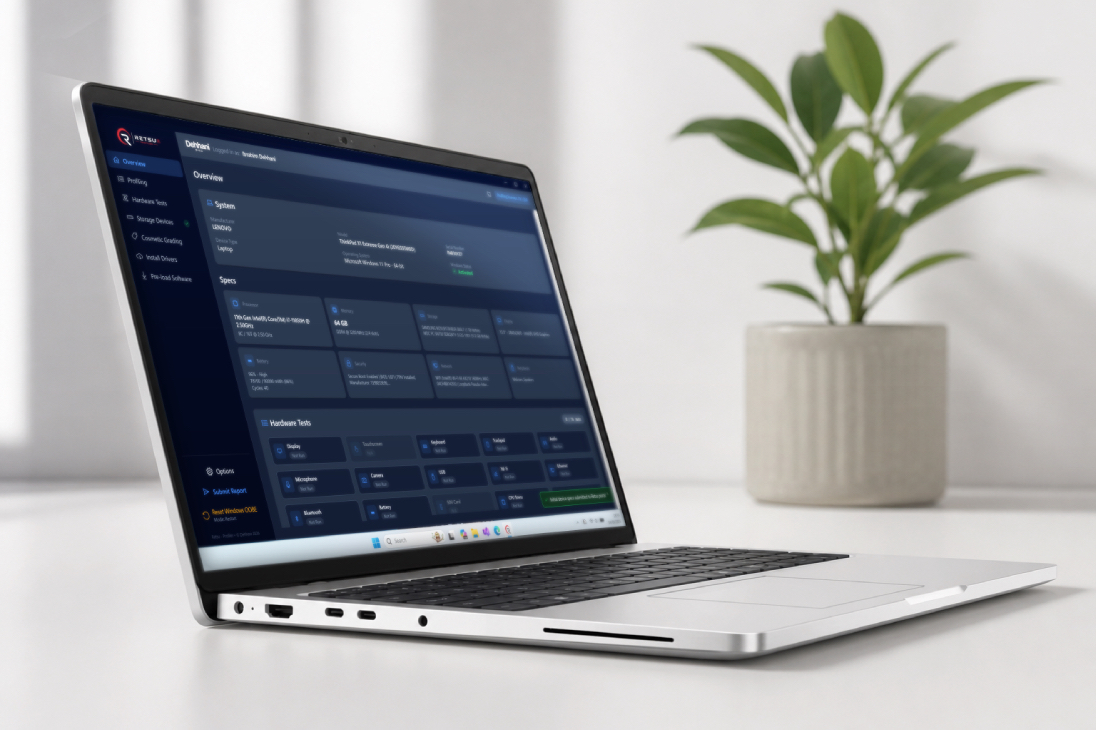
Boot to submission, four steps.
Useful hardware details · Up to 17 automated and guided checks · Standards-mapped sanitisation · Evidence ready for Portal.
Built For The Bench
Everything the bench needs.
Secure Data Sanitisation
Vendor-assessed Clear and selected Purge workflows mapped to NIST SP 800-88 Rev. 2. The available method is matched to supported media and drive capabilities.
Up To 17 Hardware Checks
Automated and guided checks cover key components such as memory, CPU, storage, connectivity, display, battery and ports, depending on the installed hardware.
Connected Device Profiling
Capture useful device and component details—including CPU, memory, storage, graphics, battery and firmware data where available—without rebuilding the record by hand.
OS Deployment
Prepare supported Windows 10, Windows 11 or Ubuntu LTS installations during the same bench workflow. Customers provide their own authorised installation media or download source.
Remote Commands
Start supported bench actions on connected devices from Retsu Portal in desktop or mobile view.
- Run automated tests remotely
- Erase drives and start OS deployment
- Initiate restarts and shutdowns
Cosmetic Grading
Record consistent cosmetic grades as part of the same session, feeding straight into the device report and your listings.
Up to 17 hardware-check categories in one workflow.
Retsu combines automated checks with clear technician-guided tests. The available checks depend on the hardware fitted to each system, and results stay with the device record.
When a manual test needs hands-on input, the technician is prompted clearly so devices do not sit forgotten mid-run.
Successful sanitisation with a clear evidence trail.
Retsu records the selected method, technical result and supporting evidence for each completed workflow. Vendor-assessed Clear and selected Purge workflows are mapped to NIST SP 800-88 Rev. 2.
Key components. Clearer results.
Run automated checks across key hardware and step in only when a hands-on test needs attention. Results feed the device record automatically, giving the next team a clearer starting point.
Remote command control, without the bench walk.
Use Retsu Portal on desktop or mobile to start supported actions on connected devices, including automated checks, sanitisation, OS deployment, restarts and shutdowns.
Wipe. Deploy. Done.
Install supported Windows 10, Windows 11 or Ubuntu LTS editions during the same workflow, using installation media or a download source supplied by the customer.
Everything in one device record.
One submission brings specifications, test results, evidence, photos and grades into Portal. Connectivity is required to authenticate and authorise a new erasure; an authorised local workflow can continue through a temporary connection loss.
Erasure evidence that follows the job.
A successful sanitisation creates a product-generated evidence trail. Retsu Erasure creates an on-drive evidence package after the original data has been sanitised, while Retsu Portal retains the result and supports authorised certificate approval. The result can also update the device's Retsu Certified record. Retsu Certified is Retsu's own device-certification process, showing buyers that the device was profiled, sanitised or both using Retsu software; it is not a third-party product certification.
- A successful result creates a structured sanitisation evidence report
- An evidence package can follow the processed drive into its next stage
- Retsu Portal retains the record and supports authorised PDF certificate issuance
- The result updates the device's Retsu Certified record in Portal
Evidence that stays with the record.
Evidence remains available from bench completion onward through the on-drive package, the Portal record and, where approved, a final PDF certificate.
Mapped to NIST SP 800-88 Rev. 2
Dehhani Ltd has assessed Retsu Erasure's supported sanitisation workflows against NIST SP 800-88 Rev. 2. Clear and Purge availability depends on the storage type, interface and drive capabilities identified for the job.
This is a vendor conformance assessment, not a NIST certification or independent product accreditation. A technical review pack is available during procurement.
Clear claims, matched to supported media.
Retsu records the requested sanitisation method, the applied result and evidence that procurement or compliance teams can review.
Repeatable workflows for every supported bench.
Set up your workflows in Retsu — Portal with triggers and criteria, and plan the structure once. Connected Retsu Erasure devices can then follow the appropriate sequence, with clear holds where technician input or review is needed.
- Triggers and criteria decide which workflow runs
- Branch on item type, specification, client or grade
- Send remote commands from Retsu Portal on desktop or mobile
- Chain supported checks, sanitisation, OS installs, waits and shutdown
- Built once, then applied to every matching device automatically
One example. Build a sequence around each supported device type, with automated actions and guided holds where required. Workflows are configured in Retsu — Portal, so Retsu Portal access is required. Portal access is included in Premium, Business and Enterprise packages, or can be purchased separately.
Accountability Built In
Every action, attributed.
Per-Technician Sign-In
Each technician uses their own sign-in, so you know exactly who handled each machine and when.
Session Time Recorded
Session time is captured automatically, giving you cleaner throughput data without manual timesheets.
Separate, Fair Licence Usage
A newly registered device uses a profiling licence for profiling and non-erasure processing. Sanitisation uses a separate erasure licence per drive, with eligible reported failures returned to the account automatically.
Erasure Licence Pricing
Volume-led pricing that scales with throughput.
Purchase erasure licences for your account as you need them. The more you buy, the lower the rate per licence, so larger bench volumes stay economical.
Choose the quantity you want and the price updates automatically.
- Volume discounts apply automatically as quantity increases
- Ideal for topping up active erasure benches without changing plan tier
- One licence is used per drive when erasure starts
- Eligible reported failures have the licence returned to the account automatically
- Stopped or unreported interruptions may require account review
- Contact us for higher-volume or account-level requirements
Frequently asked questions
Clear answers to common product questions.
What devices can Retsu Erasure process?
Retsu Erasure is designed for supported x86-64 PCs, laptops and workstations with compatible SATA or NVMe storage. Server and specialist storage configurations depend on the boot environment, controller and drive visibility, so they should be validated before rollout. It is not positioned for mobile-device or removable-media sanitisation.
Does Retsu Erasure require a continuous internet connection?
Connectivity is required to sign in, verify the licence and authorise a new erasure. Once an erasure has been authorised, local processing can continue through a temporary connection loss and completed work can sync when service returns. Portal remote commands require connectivity.
Which data-erasure standards does Retsu Erasure support?
Retsu provides vendor-assessed sanitisation workflows mapped to NIST SP 800-88 Rev. 2. Clear and Purge availability depends on the storage type, interface and supported drive capabilities. This is Retsu’s own conformance assessment, not a NIST product certification.
Does Retsu Erasure create an erasure certificate?
A successful sanitisation creates a technical evidence report and an on-drive evidence package. Retsu Portal retains the record and can issue a PDF certificate after the required authorised approval. The result can also contribute to the device’s Retsu Certified record.
Can Retsu Erasure test hardware and deploy an operating system?
Yes. The same bootable workflow can capture specifications, run up to 17 automated and guided hardware-check categories, record a cosmetic grade and deploy supported Windows 10, Windows 11 or Ubuntu LTS editions before submitting the device record to Portal. Available checks depend on the installed hardware. Retsu does not provide Windows ISO files, Windows licences or licence keys; customers must supply authorised media or configure their own download source using the tools within Retsu.
How much does Retsu Erasure cost?
£2.50 for 10 licences; volume tiers reduce the unit price from £0.25 to £0.06 per licence. Prepaid consumable licences. One licence is used per drive when erasure starts; eligible reported failures have the licence returned to the account automatically. Published tiers run from 10 to 10,000 licences. Stopped or unreported interruptions may require review. Higher-volume and account-level pricing is available on request.
Is secure data erasure different from deleting files or formatting a drive?
Yes. Deleting files, emptying the recycle bin or performing a quick format does not provide a sanitisation result and may leave recoverable data. Retsu Erasure applies the selected supported workflow, checks its technical outcome and records evidence for the processed drive.
Can Retsu Erasure wipe SSD and NVMe storage as well as hard drives?
Retsu supports Clear and, where available, Purge workflows for compatible storage. Current coverage includes SATA HDD Clear and supported firmware Purge, SATA SSD Clear, and selected NVMe Clear and Purge workflows. The available method depends on the drive, interface and reported capabilities.
What happens if an erasure fails?
One erasure licence is used per drive when erasure starts. When an eligible failed terminal result is successfully reported and accepted, that licence is returned to the account automatically. Stopped or unreported interruptions may require review. A drive should not be treated as successfully sanitised unless the selected workflow completes with a successful technical result.
Should I boot Retsu Erasure from USB or PXE?
USB is useful for a straightforward bench setup or smaller volumes. PXE lets compatible systems boot the Retsu environment over the local network and can suit repeatable multi-device processing. Both routes require connectivity for sign-in, licence verification and authorisation of a new erasure.
Does Retsu Erasure perform full-drive verification after sanitisation?
Retsu checks whether the selected sanitisation technique completed and performs post-erasure sampling; it does not claim a full-sector read of the entire drive. The resulting technical assessment and supporting evidence are recorded for review.
Can a drive be reused after a successful Retsu erasure?
Yes, reuse is one of the main reasons to use successful software sanitisation instead of physical destruction. A successfully sanitised and healthy drive can continue through testing and refurbishment, although the final reuse or recycling decision should follow the organisation’s policy and the condition of the media.
Content reviewed . Product scope and pricing can change; verify critical procurement requirements before purchase.
How does Retsu Erasure compare with leading data-erasure tools?
Data erasure comparison
Retsu Erasure combines standards-aligned drive sanitisation, device diagnostics, grading, OS deployment and a native Portal handoff in one refurbishment workflow. Blancco Drive Eraser and BitRaser Drive Eraser offer broader enterprise erasure portfolios and certifications, while KillDisk Industrial is centred on high-volume disk-erasure workstations and appliances.
Read the detailed Retsu Erasure vs Blancco comparison
Scroll horizontally to compare all products.
| Comparison area | Retsu Erasure This product | Blancco Drive Eraser | BitRaser Drive Eraser | KillDisk Industrial |
|---|---|---|---|---|
| Primary coverage | Supported x86-64 PCs, laptops and workstations with compatible SATA or NVMe storage, within an end-to-end refurbishment workflow. | Enterprise and ITAD erasure for loose drives, desktops, laptops, servers and other drive-based devices. | Drive and device erasure for PCs, laptops, Macs, Chromebooks, servers and storage environments, depending on variant. | Industrial HDD and SSD sanitisation using software workstations or purpose-built multi-bay hardware. |
| Standards and evidence | Vendor-assessed sanitisation workflows mapped to NIST SP 800-88 Rev. 2; Clear and selected Purge coverage varies by media; technical and on-drive evidence with Portal certificate approval. | 25+ standards including NIST, DoD and IEEE 2883; verified erasures and digitally signed certificates; extensive third-party certifications. | 26 standards including NIST, DoD and IEEE 2883; tamper-resistant certificates and reports in PDF, CSV and XML; third-party certifications. | 20+ sanitisation standards including DoD options, verification, customisable certificates, reports and labels. |
| Deployment and scale | Bootable USB or PXE; connectivity is required to authorise a new erasure, while authorised local work can continue through a temporary outage; connected remote commands and per-drive usage pricing. | Local, remote and PXE deployment with cloud or on-premise management, automation and ERP or ITSM integrations. | USB, PXE, MSI and offline variants; cloud console, API and ERP integrations; Network Cloud is designed for very large estates. | Hot-swap workstation and appliance workflows with automatic erase, verification and certificate printing across multiple drives. |
| Diagnostics and onward workflow | Up to 17 automated and guided hardware-check categories, profiling, cosmetic grading, connected workflows and supported Windows or Ubuntu deployment; results continue into Retsu Portal and Profiler. | Hardware detection, diagnostics and configurable workflows; reports can flow to Blancco Management Portal or external systems. | Hardware diagnostics and device grading are optional add-ons; reports can flow to cloud, ITAM, ServiceNow or supported ERPs. | Disk health examination, SMART data, bad-sector handling and cloning; the reviewed product page focuses on drives rather than whole-device refurbishment. |
| Best fit to evaluate | Refurbishers wanting low-cost erasure, diagnostics, OS deployment and inventory handoff in one connected process. | Enterprises and ITADs needing broad media coverage, mature certifications and complex multi-site integrations. | ITADs and enterprises needing flexible deployment variants, cloud reporting and high-scale PXE automation. | Teams processing loose drives at volume and preferring workstation or appliance-based licensing and automation. |
Published pricing snapshot
These prices are not directly equivalent. Retsu and BitRaser use consumable licences, Blancco combines a platform tier with event consumption, and KillDisk Industrial prices software by processing slot or bundles it with dedicated hardware. Prices are shown in the vendors’ published currencies without conversion.
Scroll horizontally to compare all pricing models.
| Product | Published price | Licence model | Important context |
|---|---|---|---|
| Retsu Erasure This product | £2.50 for 10 licences; volume tiers reduce the unit price from £0.25 to £0.06 per licence. | Prepaid consumable licences. One licence is used per drive when erasure starts; eligible reported failures have the licence returned to the account automatically. | Published tiers run from 10 to 10,000 licences. Stopped or unreported interruptions may require review. Higher-volume and account-level pricing is available on request. |
| Blancco Drive Eraser | No individual public Drive Eraser price; contact sales. | Contract-based platform subscription with a fixed fee plus a shared, volume-priced event pool across included Blancco products. | The initial contract term is set by the order or quote. Unless otherwise specified, subscriptions automatically renew for further 12-month terms and require at least 60 days’ written notice to prevent renewal. A 14-day trial is available. |
| BitRaser Drive Eraser | €99 displayed on the standard Drive Eraser purchase page, taxes extra; confirm the selected quantity at checkout. | Pay per drive: one licence is consumed for one drive. Purchased licences do not expire until used. | The cloud console and technical support are included. Network Cloud with Admin Console is quote-only. |
| KillDisk Industrial | Industrial Software from US$40 per slot; Desktop from US$2,900; Systems from US$3,500. | Processing-slot software or turnkey hardware; no additional charge per erased drive on Industrial hardware. | KillDisk also publishes separate Corporate, Site and Enterprise licences, so the best comparison depends on deployment scale. |
Method: Feature and pricing summaries are based on the vendors’ public product and pricing pages. Product scope and packaging can change; verify critical requirements directly with each vendor. A capability not mentioned here may still be available. Evidence reviewed .
Competitor sources: Blancco Drive Eraser; Blancco contract terms; BitRaser Drive Eraser Network Cloud; KillDisk Industrial Desktop.
Then hand off to Profiler.
Erasure is the first step. Retsu Profiler picks up on Windows for final checks, cosmetic grading, prep and customer-ready handoff, with the full device history already waiting in Portal.
Sanitise with confidence. Keep the evidence.
Sign up for a free account and experience a 30 day trial. No upfront payment. Cancel anytime.